In 2019, as gaathastory’s audio storytelling platform grew, our files—podcasts, images, and backups—spilled over my laptop like chai from an overfilled cup. I signed up for multiple cloud storage and CDN accounts, from Zoho Workdrive to BunnyCDN, to keep up.
Each platform promised efficiency, but juggling them felt like herding Mumbai traffic during rush hour! This blog shares my five-year journey navigating this maze, with practical tips, cost-saving strategies, and hard-earned lessons from managing over 10 different CDN and storage accounts simultaneously.
At a Glance: In today’s digital landscape, managing multiple cloud storage and CDN accounts has become both necessary and challenging. As someone who has juggled services like Koofr, Zoho Workdrive, BunnyCDN, Cloudflare, and more for content delivery across India, I understand the complexity involved in optimizing performance while maintaining cost efficiency. This comprehensive guide draws from real experiences to help you navigate account sprawl, streamline workflows, and avoid costly mistakes.

Summary
English Summary
This guide explains how to efficiently manage multiple cloud storage and CDN accounts, covering challenges like inconsistent file organization, version control issues, and cost optimization. Learn practical strategies from five years of real-world experience managing BunnyCDN, Cloudflare, Gumlet, and ten other platforms, including workflow automation, audit techniques, and choosing the right CDN for Indian traffic patterns.
हिंदी सारांश
यह मार्गदर्शिका बताती है कि कैसे कई क्लाउड स्टोरेज और CDN खातों को कुशलतापूर्वक प्रबंधित किया जाए। पांच साल के वास्तविक अनुभव से सीखें – BunnyCDN, Cloudflare, Gumlet और दस अन्य प्लेटफॉर्म का प्रबंधन। फाइल संगठन, संस्करण नियंत्रण, लागत अनुकूलन, वर्कफ़्लो स्वचालन, और भारतीय ट्रैफ़िक पैटर्न के लिए सही CDN चुनने की व्यावहारिक रणनीतियां जानें।
The Need for Multiple Cloud Storage and CDN Accounts
Over time, I found myself accumulating various cloud storage and CDN accounts to meet diverse needs. My digital ecosystem included Koofr, Zoho Workdrive, three cloud storage VPSes, iCloud, OneDrive, Nextcloud, BunnyCDN, Publitio, Gumlet, and Content Studio.
Each service offers unique advantages—Koofr for its excellent file aggregation capabilities, Zoho Workdrive for seamless team collaboration, BunnyCDN for cost-effective content delivery with Indian PoPs (Points of Presence), and Publitio for media-specific optimization. In Mumbai’s competitive digital market, where I work with clients across India, having these specialized tools helped address various content delivery scenarios—from serving high-resolution images to e-commerce sites in Bengaluru to streaming regional podcasts for audiences in Chennai.
However, like managing multiple SIM cards from different telecom providers (remember when Airtel, Vodafone, and BSNL each had their unique advantages?), juggling these accounts created its own set of challenges. What began as strategic diversification gradually transformed into a complex ecosystem that required careful navigation and constant mental overhead.

Why Not Just Use One Service?
The obvious question: why not consolidate to a single provider? Here’s why that approach didn’t work for my use case:
- Cost optimization: Different CDNs have varying pricing for bandwidth in different regions. BunnyCDN offers unbeatable rates for Indian and APAC traffic, while Cloudflare’s free tier works brilliantly for low-traffic experimental sites.
- Feature specialization: Gumlet’s AI-based image optimization delivers results that generic CDNs can’t match for product photography, while BunnyCDN’s FTP support makes bulk uploads significantly easier.
- Redundancy and reliability: When one CDN experiences regional issues (which happened during the 2020 submarine cable cuts affecting Indian connectivity), having a backup prevents complete service disruption.
- Client requirements: Some clients already have AWS infrastructure and prefer CloudFront integration, while others need the simplicity of plug-and-play solutions like PushrCDN.
- Testing and comparison: Maintaining accounts with multiple providers allows real-world performance testing to ensure recommendations are based on actual experience, not marketing claims.
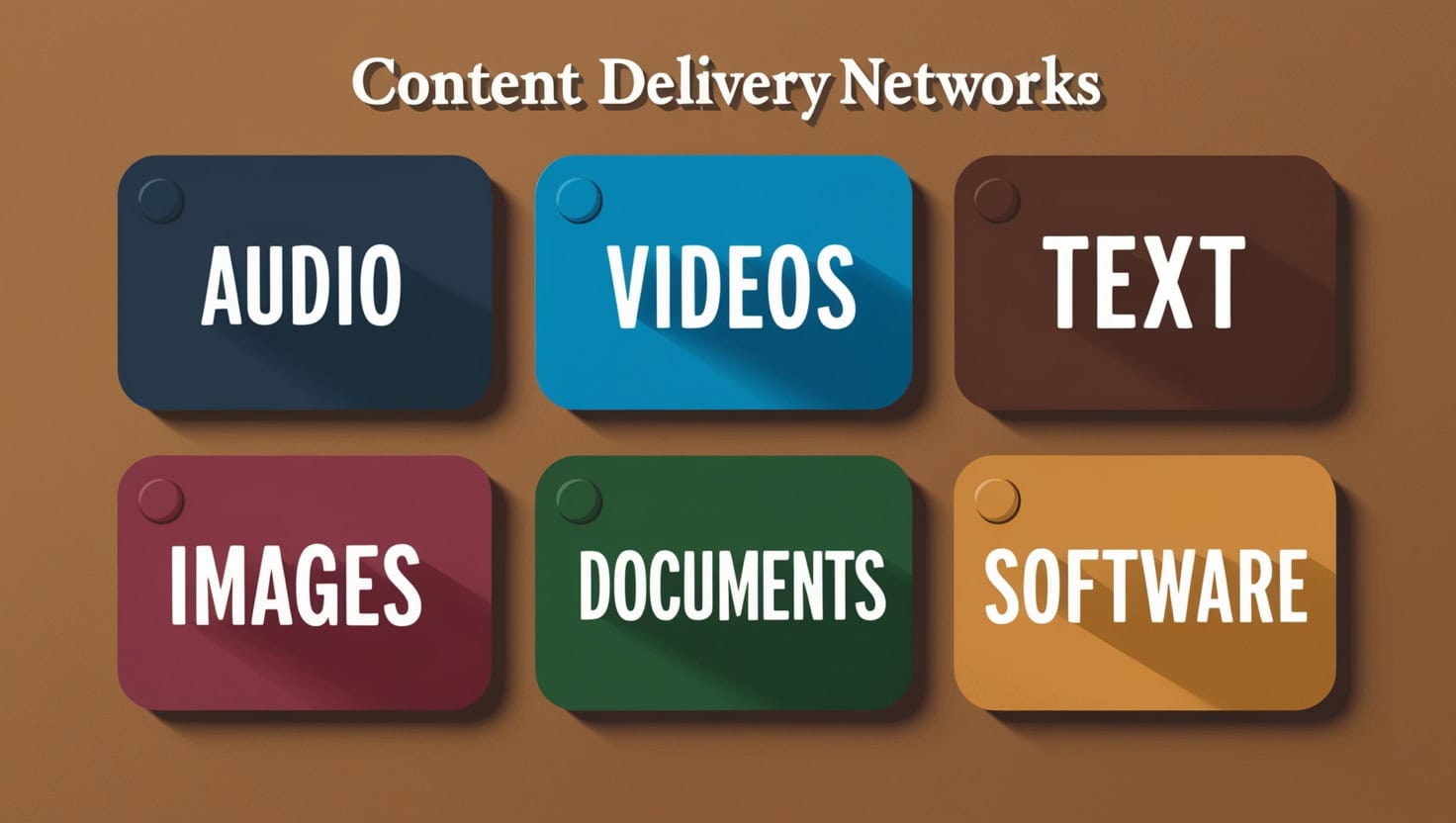
Content Types and Their CDN Requirements
Different content types require different CDN approaches. Understanding these distinctions helped me match the right service to the right use case, improving both performance and cost efficiency.

Audio Content Delivery
Audio-focused CDNs prioritize low-latency streaming for podcasts or music files. Services like AWS CloudFront or BunnyCDN cache MP3 or AAC files close to users for smooth playback without buffering. When I hosted a series of regional language podcasts for clients in Chennai and Pune (covering topics from Tamil folklore to Marathi devotional content), I discovered that specialized audio CDNs handled the fluctuating bandwidth of Indian mobile networks more efficiently than general storage solutions.
The key difference: audio CDNs implement smart byte-range request handling, allowing listeners to skip ahead without re-downloading the entire file—crucial for Indian users on limited data plans.
Video Streaming Optimization
Video CDNs like Cloudflare Stream or AWS CloudFront use adaptive bitrate streaming (ABR) for tutorials or promotional videos. They handle complex encoding requirements and high bandwidth demands but come with steeper setup costs. During the monsoon season, when internet connectivity becomes less reliable in many parts of India (especially in Kerala and Maharashtra), having a robust video CDN with adaptive bitrate streaming made the difference between smooth viewing experiences and frustrating buffering for my clients’ audiences.
Pro tip: For video-heavy sites targeting Indian audiences, always test performance during peak evening hours (7-10 PM IST) when network congestion is highest.
Image Delivery Challenges
Images demand specialized CDNs like BunnyCDN, Cloudflare, or PushrCDN for fast loading, automatic compression, and responsive resizing. Slow images significantly hurt SEO rankings and user engagement—Google’s Core Web Vitals update made this even more critical. Yet managing subdomains, SSL certificates, and upload methods can easily break your site.
I learned this the hard way when one incorrect CNAME record led to my client’s product gallery (a jewelry e-commerce site in Jaipur) showing nothing but 404 errors during a major Diwali promotion. The panic of losing 12 hours of peak shopping traffic taught me to always test CDN DNS changes on staging environments first.
Text and Static File Management
Text CDNs cache static files—CSS, JavaScript, HTML—for snappy page loads. They’re generally easier to manage than image or video CDNs, but caching misconfigurations can still break website functionality. For text-heavy educational websites I’ve built for clients in Bengaluru (specifically coaching institutes offering competitive exam preparation), implementing proper cache-control headers improved page load times by up to 40%, especially for rural users on 3G connections.
The challenge with text files: overly aggressive caching can prevent users from seeing updated content, while insufficient caching defeats the purpose of using a CDN.
Challenges Faced with Multiple Accounts
Managing multiple CDN and cloud storage accounts isn’t just technically complex—it creates organizational, financial, and workflow challenges that compound over time.

Inconsistent File Organization
Each platform implements its own approach to organizing files, which creates cognitive overload when switching between them. For example, Koofr uses a straightforward folder structure similar to traditional file managers, while Content Studio organizes assets by projects and campaigns with automatic tagging. When I was working on a tourism promotion for Kerala (showcasing backwater houseboats, tea plantations, and Kathakali performances), I found myself wasting hours searching for the same beach photos across three different platforms, each with its own organizational logic and search capabilities.
The mental cost: Every platform switch required remembering different navigation patterns, keyboard shortcuts, and file organization principles—like switching between driving on the left side (India) and right side (USA) of the road.
Version Control Nightmares
Working on files across different platforms makes tracking the latest version incredibly challenging. I’ve experienced the frustration of editing a document in Zoho Workdrive only to discover later that team members were modifying an outdated copy in Nextcloud. This led to confusing situations where changes were lost or duplicated, requiring painful manual reconciliation.
For critical documents like client contracts, I had to implement a strict naming convention with datestamps (e.g., “contract_client-name_v3_2024-02-06.pdf”) to prevent costly mix-ups. Even then, the system wasn’t foolproof—human error still led to occasional version conflicts.
Access Control Complications
Different platforms implement various permission systems, and a seemingly minor mistake can expose private files or block access for team members who need it. I once granted what I thought was “view-only” access to a folder containing internal strategy documents for a client’s marketing campaign, only to discover that the platform interpreted this permission to include download rights—a subtle but important distinction that nearly led to confidential competitor analysis being exposed to an external freelancer.
The security paradox: Stricter access controls improve security but slow down workflows, while looser permissions improve efficiency but increase risk. Finding the right balance requires constant vigilance.
Integration and Workflow Issues
Not all services work seamlessly together, creating friction in workflows. A file optimized for BunnyCDN’s image optimization might not display correctly through Publitio’s video embeds due to different image format requirements. During a time-sensitive website launch for a Mumbai-based fintech startup, we discovered that images uploaded to our primary CDN weren’t populating on the new site because of API compatibility issues between our WordPress CMS and the CDN provider’s integration plugin.
What should have been an automated process turned into a manual upload marathon, with team members working until 3 AM to manually transfer and verify 500+ product images. The launch deadline was saved, but barely.
Cost Management and Redundancy
Maintaining multiple accounts inevitably leads to cost inefficiencies and redundant storage. After conducting an audit in August 2023, I was shocked to discover I was paying for over 500GB of storage across various platforms but actively using less than 200GB. The same files were often duplicated across three or four services—not only wasting money but also creating confusion about which version was authoritative.
For small businesses in India where every rupee counts (especially post-pandemic when many clients were tightening budgets), this inefficiency could significantly impact the bottom line. One client was spending ₹12,000 monthly on storage when consolidation could reduce it to ₹4,000 without losing functionality.
| Scenario | Number of Services | Total Storage (GB) | Active Usage (GB) | Monthly Cost (INR) | Efficiency |
|---|---|---|---|---|---|
| Before Audit (Fragmented) | 10 | 500 | 200 | ₹12,000 | 40% |
| After Consolidation | 3 | 250 | 200 | ₹4,200 | 80% |
| Savings | -7 services | -250 GB waste | Same | ₹7,800 (65% reduction) | +40% |
Solutions to Streamline Management
After years of struggling with account sprawl, I developed a systematic approach to streamlining CDN and cloud storage management. These strategies significantly reduced complexity while maintaining the benefits of multi-platform usage.

Consolidate to a Primary CDN with Strategic Backup
After experiencing the chaos of managing multiple CDNs simultaneously, I adopted a more focused approach: selecting one primary CDN for 80% of use cases and maintaining one or two specialized alternatives for specific scenarios. For my needs, I chose BunnyCDN as my main provider due to its ideal combination of affordability (starting at ₹0.70/GB for Asia bandwidth), robust FTP support for bulk uploads, and excellent image optimization features.
For critical assets and enterprise clients with security requirements, I maintained Cloudflare as a backup and premium option. To handle URL transitions smoothly during CDN migrations, I used the Better Search Replace plugin for WordPress sites—a real time-saver that can update thousands of URLs in seconds with proper database backups in place.
Implement Streamlined Upload Workflows
I prioritized CDNs with bulk-upload capabilities to save valuable time and reduce friction. BunnyCDN’s FTP support allowed me to upload 1,000+ images in minutes using FileZilla or even command-line tools like lftp for automation. AWS CloudFront’s API excellence enabled script-based workflows where batch uploads could run overnight without human intervention.
I deliberately avoided platforms with rigid browser-only upload interfaces that choked on large batches or failed mysteriously mid-upload. For my photography client in Jaipur (specializing in wedding albums), establishing a consistent upload workflow reduced post-processing time by nearly 60% and eliminated the frequent timeout failures they had experienced with their previous browser-based CDN solution.
Test on Staging Before Going Live
One painful lesson I learned early: always test CDN changes on staging environments before implementing them on production sites. When I switched from Cloudflare to BunnyCDN without proper testing, my homepage loaded fine but inner pages lost all images for an entire day—a disaster for a client whose business depended on visual content.
Now, I maintain a simple staging site (usually a subdomain like staging.example.com) that mirrors my production environment, allowing me to verify CDN configurations, URL structures, SSL certificate setups, and image rendering before affecting live sites. This practice has prevented numerous potential disasters and saved countless hours of emergency troubleshooting.
Testing checklist I follow:
- Verify all image formats load correctly (JPEG, PNG, WebP, AVIF)
- Check responsive image sizing across mobile and desktop
- Test video embeds and playback
- Confirm SSL certificate validity and mixed-content warnings
- Validate cache headers and expiration times
- Test file upload workflows and permissions
Document Everything Meticulously
Comprehensive documentation became my lifeline when managing multiple services. I created a detailed spreadsheet tracking all subdomains, CNAME records, SSL configurations, API keys, and access credentials for each CDN. This documentation proved invaluable when troubleshooting issues at 2 AM or when onboarding new team members who needed quick access to account information.
When our primary developer fell ill during a major website migration (Murphy’s Law strikes again!), this documentation allowed another team member to step in and manage the CDN configuration without disruption. The few hours invested in maintaining documentation saved days of reconstruction work.
My documentation template includes:
- Account details: Login credentials (stored in password manager), billing information, renewal dates
- Technical configuration: CDN zone IDs, API endpoints, webhook URLs
- DNS records: All CNAME entries, A records, verification tokens
- SSL/TLS: Certificate authorities, renewal schedules, wildcard coverage
- Integration points: WordPress plugins used, API connections, automation scripts
- Performance baselines: Load times before/after CDN implementation, bandwidth usage patterns
Conduct Regular Audits
Implementing quarterly audits helped identify redundant storage, outdated files, and cost-saving opportunities. During these reviews, I evaluate usage patterns, storage distribution across platforms, and delivery performance metrics. One audit revealed that we were paying premium rates for storing rarely-accessed archival content (old podcast episodes from 2019), which we then moved to a more cost-effective cold storage solution, saving nearly ₹15,000 annually.
These regular check-ins prevent the gradual accumulation of digital clutter that inevitably occurs without oversight—like cleaning out your wardrobe periodically to rediscover clothes you forgot you owned.
Audit questions I ask quarterly:
- Which files haven’t been accessed in 90+ days? (Candidates for archival)
- Which CDN zones have zero or minimal traffic? (Candidates for deletion)
- Are we paying for storage we’re not using? (Look for redundant copies)
- Have CDN prices changed? (Competitors may now offer better rates)
- Are there newer, more efficient services available? (Technology evolves rapidly)
CDN Comparison for Image Delivery
After testing numerous CDNs specifically for image delivery over five years, I’ve compiled this detailed comparison to help you make an informed decision based on your specific needs, traffic patterns, and budget constraints.
| CDN Provider | Upload Methods | Image Optimization | Cost (Feb 2026) | Ease of Setup | Best For |
|---|---|---|---|---|---|
| AWS CloudFront | S3, API, CLI, SDK | Yes (via Lambda@Edge) | ₹1.80-2.50/GB + request fees | Complex (steep learning curve) | Enterprise sites with existing AWS infrastructure, global reach requirements |
| Cloudflare | Browser, API, Workers | Yes (Polish, Image Resizing) | Free tier + ₹1.20-1.80/GB paid | Medium (DNS-level setup) | Sites needing combined security + CDN features, DDoS protection priority |
| BunnyCDN | FTP, SFTP, API, CLI | Yes (Bunny Optimizer) | ₹0.70-1.10/GB | Easy (straightforward UI) | Cost-conscious sites, bulk uploaders, Indian/APAC traffic (my primary choice) |
| PushrCDN | FTP, Browser, WordPress plugin | Basic compression | ₹0.65-1.00/GB | Very Easy (WP integration) | Simple image-heavy blogs, WordPress-first users, beginners |
| Gumlet | API, Browser, Integrations | Advanced (AI-based, WebP/AVIF) | ₹1.50-2.20/GB | Medium (good documentation) | Image-intensive Indian e-commerce, product photography, performance-critical sites |
| ImageKit | API, SDK, Media Library | Advanced (real-time transforms) | ₹1.40-2.00/GB | Medium-Easy | Indian startups, developer-friendly API needs, real-time image manipulation |
My Experience with AWS CloudFront
AWS CloudFront offers incredible power, global reach (225+ edge locations), and deep integration with the AWS ecosystem, but it feels overengineered for smaller projects. Setting up distributions, origin access identities (OAI), and S3 bucket policies requires significant technical knowledge—I spent three full days just understanding the IAM permission structure on my first CloudFront project.
The complex pricing model (with separate charges for requests, data transfer, SSL certificates, and Lambda@Edge functions) makes cost prediction challenging. A client once received an unexpected ₹18,000 bill because we hadn’t configured cache properly, resulting in excessive origin requests. However, for sites already in the AWS ecosystem or requiring guaranteed enterprise-grade SLAs, CloudFront’s seamless integration with other AWS services (Lambda, S3, Route53) provides valuable workflow advantages that justify the complexity.
Working with Cloudflare
Cloudflare strikes an excellent balance between features and usability. Its DNS-level integration makes initial setup relatively straightforward (point your nameservers to Cloudflare and enable proxy mode), and the free tier offers generous bandwidth for small to medium sites—I’ve run experimental blogs with 50,000+ monthly visitors entirely on Cloudflare’s free plan.
The Polish image optimization feature works well without configuration, automatically converting images to WebP for supported browsers. However, browser-based uploads become cumbersome for large galleries (anything over 50 images feels tedious), and the Workers scripting environment has a steeper learning curve than advertised. For Indian businesses concerned about both performance and security, Cloudflare’s combined DDoS protection and CDN capabilities offer compelling value—especially relevant given the increasing cyber threats facing Indian websites.
Why I Chose BunnyCDN as Primary
BunnyCDN emerged as my preferred solution for most projects due to its ideal balance of affordability, performance, and usability. The straightforward pricing model (based primarily on bandwidth with minimal request fees) makes budgeting predictable—a refreshing change from AWS’s multi-dimensional pricing complexity.
FTP support simplifies bulk uploads dramatically; I can queue 5,000 images in FileZilla before dinner and return to find them all uploaded and ready. The Bunny Optimizer automatically compresses images without quality loss, and WebP/AVIF conversion happens seamlessly. With edge servers (PoPs) in Mumbai, Delhi, and Chennai, it delivers excellent performance throughout India at significantly lower costs than premium alternatives.
Real example: For a client’s travel blog focusing on Rajasthan tourism (featuring high-resolution images of Jaipur’s palaces, Jodhpur’s blue houses, and Jaisalmer’s sand dunes), switching from AWS CloudFront to BunnyCDN reduced monthly CDN costs from ₹4,200 to ₹950 while actually improving load times for Indian users by 15-20%.
The only downside: BunnyCDN’s dashboard UI, while functional, isn’t as polished as Cloudflare’s or AWS Console’s—but for the cost savings and performance benefits, I’m willing to overlook aesthetic preferences.
Future Strategy and Planning
Understanding Cloud Storage vs. CDN
It’s crucial to understand that cloud storage and CDNs serve fundamentally different purposes, though the line has blurred with newer hybrid services. Cloud storage (like OneDrive, Google Drive, or Zoho WorkDrive) provides secure file storage, backup, version history, and sharing capabilities—think of it as a digital filing cabinet. CDNs, on the other hand, are optimized for fast content delivery through global distribution networks—think of them as express delivery services that cache copies of your content in multiple locations worldwide.
Some services like pCloud or Publitio blend these functions, offering both storage and delivery features. In my workflow, I use dedicated cloud storage (currently Koofr for 2TB of archival content and Zoho Workdrive for active collaboration) for backup and team collaboration, while CDNs handle all public-facing content delivery.
The Consolidation Roadmap
Moving forward, my strategy focuses on consolidation rather than expansion. I plan to reduce my active CDN accounts from 10 to 3-4 core services by Q3 2026:
- Primary CDN: BunnyCDN for 80% of image and static file delivery
- Premium/Backup CDN: Cloudflare for enterprise clients and mission-critical sites
- Specialized Image CDN: Gumlet for e-commerce clients requiring advanced image optimization
- Cloud Storage: Koofr (personal) + Zoho Workdrive (team collaboration)
This approach maintains flexibility while dramatically reducing complexity and cost. The key is being disciplined about not signing up for “just one more” service when a new provider launches with attractive pricing—I’ve learned that initial promotional rates don’t justify the long-term management overhead.
FAQ: Common Questions About Cloud Storage and CDNs
- Q: What’s the difference between cloud storage and a CDN?
- A: Cloud storage services like Koofr, OneDrive, or Dropbox primarily store your files remotely with features like backup, version history, and team sharing. CDNs like BunnyCDN, Cloudflare, or AWS CloudFront focus on delivering content quickly by caching it on servers worldwide near your users. Some services (like Bunny Storage or Publitio) offer both features, but they serve different primary purposes. For Indian users, this distinction matters because storing files in a Mumbai datacenter (cloud storage) doesn’t automatically mean fast delivery to users in Chennai or Delhi—that’s where CDNs come in.
- Q: How many cloud storage accounts do I actually need?
- A: This depends on your specific requirements, but most users can manage with 2-3 accounts: (1) one primary service with good integration capabilities (like Google Drive or Zoho Workdrive if you’re in the Google/Zoho ecosystem), (2) one for backup/archiving (like Koofr or pCloud with lifetime plans), and (3) possibly a specialized one for media delivery if you’re content-heavy. More than this often creates unnecessary complexity without proportional benefits. I’ve managed 10+ accounts and learned that consolidation to 3-4 core services dramatically improved productivity.
- Q: Will using multiple CDNs improve my website performance?
- A: Not necessarily—in fact, it can hurt performance if not configured properly. While using multiple CDNs (called a multi-CDN strategy) can theoretically improve reliability and regional performance, it also increases management complexity, potential for configuration errors, and DNS lookup time. For most websites, a single well-configured CDN with good Indian PoPs (like BunnyCDN with servers in Mumbai, Delhi, Chennai) provides excellent performance. Multi-CDN makes sense mainly for enterprise sites with global audiences and dedicated DevOps teams, or as a failover backup strategy rather than concurrent usage.
- Q: How can I reduce costs when using multiple cloud services?
- A: Several strategies work: (1) Audit usage quarterly to identify redundant storage and unused accounts, (2) Use tiered storage options for less-accessed files (hot/warm/cold storage), (3) Consolidate overlapping services, (4) Leverage free tiers strategically (Cloudflare free tier can handle significant traffic), (5) Use compression and image optimization to reduce bandwidth consumption, (6) Set up storage lifecycle policies to automatically archive or delete old files, and (7) Compare pricing regularly—CDN costs have dropped significantly; you might be overpaying for services based on old contracts. I saved ₹7,800 monthly (65% cost reduction) by implementing these strategies.
- Q: Which CDN is best for Indian traffic?
- A: For primarily Indian traffic, BunnyCDN and Gumlet offer excellent performance with Indian PoPs (Points of Presence) at competitive prices. BunnyCDN has servers in Mumbai, Delhi, and Chennai; Gumlet is specifically built for Indian e-commerce and has Mumbai infrastructure. Cloudflare also performs well for Indian traffic on its free tier. AWS CloudFront and Google Cloud CDN work well but cost more. The “best” choice depends on your budget, technical expertise, and specific requirements—I’d recommend BunnyCDN for most Indian small-to-medium websites due to its cost-performance balance.
- Q: Should I use WordPress CDN plugins or configure CDN manually?
- A: Both approaches have merits. WordPress plugins like WP Super Cache, W3 Total Cache, or CDN-specific plugins (like Bunny CDN plugin) make setup easier and handle URL rewriting automatically—great for beginners or non-technical users. However, manual configuration gives you more control, better performance, and avoids plugin conflicts. My recommendation: Start with plugins to understand how CDNs work, then graduate to manual configuration as you gain experience. For production sites, I prefer manual configuration with minimal plugins to reduce potential security vulnerabilities and conflicts.
Conclusion
Managing files across multiple cloud storage and CDN accounts can be challenging, but with the right strategies, it’s entirely manageable. The key lessons from my five-year journey: (1) Consolidate aggressively to 3-4 core services rather than chasing every new provider, (2) Document everything meticulously—future you will be grateful, (3) Test on staging before production always, (4) Audit quarterly to prevent cost and complexity creep, and (5) Choose providers based on your actual needs (Indian traffic patterns, content type, technical expertise) rather than marketing hype.
For most Indian websites and content creators, a combination of BunnyCDN (primary CDN), Cloudflare (backup/security), and Koofr or Zoho Workdrive (cloud storage) provides excellent balance between cost, performance, and ease of management. The temptation to sign up for every new service with attractive promotional pricing is strong, but resist it—the long-term management overhead rarely justifies the short-term savings.
Remember: The best CDN setup is the one you’ll actually maintain consistently, not the most complex multi-provider architecture that looks impressive but becomes unmanageable within months. Start simple, document thoroughly, test everything, and scale complexity only when genuine business needs demand it.
Additional Resources
-
- Koofr – European cloud storage with excellent aggregation features
- Zoho Workdrive – Team collaboration and file management
- BunnyCDN – Affordable CDN with Indian PoPs and FTP support
- Cloudflare – Free tier CDN with DDoS protection
- Gumlet – Indian CDN specializing in image optimization
- AWS CloudFront – Enterprise-grade CDN with global reach
- ImageKit – Real-time image transformation CDN
- Better Search Replace Plugin – WordPress URL migration tool
- Rclone: The “Swiss Army Knife” of Cloud Storage
- The Bandwidth Alliance: Reducing Egress Fees
- Backblaze B2 Documentation
Explore the CDN & Storage Cluster
This post is part of my comprehensive guide to Web Architecture. Use the links below to navigate through specific setup guides and deep-dives:
- The Anchor: Epic Post on CDN: The Definitive Guide
- Specialist Guide: Cloudflare R2 for Zero-Egress Image Hosting
- Specialist Guide: Gumlet: Step-by-Step Video & Image Optimization
- Specialist Guide: PushrCDN: Budget-Friendly S3 Compatible Delivery
- Technical Manual: Updating Your CDN via Rsync & CLI
- Current Post: Managing Multiple Cloud & CDN Accounts (Hybrid Guide)
Table of Contents (Click to expand)