How to use AI chat tools as interior designer ? In this post, we will take a look at generative AI tools that create images for interior design of a home. At that time, I was finalizing the draft of my book “An Eye for AI: How to generate awesome images using AI tools“. Using chatGPT for interior design was a great use case for AI tools.
Author: Amar Vyas
-
Microsoft Designer Graphics Design – First Impressions
I am testing out a new feature: short summary of each blog post. Below is the summary of the longer post on this page.
Microsoft Designer as a graphics design tool holds promise. I tried the preview edition; below is the short summary.In less than a minute, I was able to get a few awesome images and a short video in under 3 minutes using the search feature. The images generated can be used “As is” in most cases. Image generation using Dall-E2 as the backend gives okay-ish results. Other features such as creating image from scratch, making infographics, charts and other visual content will be the true test of the capabilities of this tool. The site does not work well with firefox, interface is rather clunky.
Introduction
Microsoft announced a new graphic design tool called Microsoft Designer in October 2022. I had signed up for their preview access, and I was able to give it a try today. Microsoft Designer is an application or a tool for creating and editing a variety of visual assets including images, diagrams, info-graphics, presentations, and short videos. In other words, it offers many functionalities that can be found in Canva and similar SaaS graphic design tools. Since this is a preview version, I am posting my quick take or first impressions instead of a more detailed review.
First Impressions
I got access to Microsoft Designer in the last week of February ’23. Today, I spent some time tinkering around with it. These are early times yet, but based on some sample images generated, the tool looks promising. I accessed the site using via desktop using a web browser. This application is a part of Microsoft Office suite. The user has the ability to create images using the pre-designed templates . They can also create custom designs from scratch.

These two canines must be familiar to most of you In the past, I have posted reviews of Pixelied, Crello (now Vistacreate), Stencil and Designcap on this blog. I have also used Pablo by Buffer and Landscape, the now-defunct Voila, and of course Canva. Except for the last, I have written or published detailed reviews which involved creating images from scratch. For this post, I will only explore the option to generate images using their templates or the “image search” option.
I have paid subscriptions for Stencil and Crello and Promo Republic- all of which have graphic design capabilities that serve the purpose well. Therefore, I might not opt for a subscription to Microsoft Designer separately. But I like what I see so far.

The not so bad
I would like to begin with the “The Not so Great” part, because it is short and can be easily fixed in the preview edition.
a. Images that are generated are square – designed for social media sites like Instagram only. (see the screenshot below. In the text description I asked for and image for Twitter banner, got the square image instead).
Update: Using terms like “Portrait” or “Event banner” help the AI image tool to determine the dimensions. I was able to generate a few images that were portrait or landscape shaped.

There is a related issue with the images : Size of the images generated. Depending on the type (custom photos, resolution, etc) -image sizes are all over the place: from 60 Kilobyetes to 2.7 Megabytes.
b. The site does not work well with Firefox.The page had to be refreshed several times before a new image could be generated. (surprise, surprise!) The site worked better with Brave, Vivaldi and other Google Chrome based browsers.
c. The interface could be cleaner, it is a bit clunky-ish in my opinion. In particular, the slider for changing the text size is too responsive. But I loved the design pre sets and the ability to customize the brand kit helps, too.
Someone mentioned in a facebook group I am a part of that the interface looks like an early version of Stencil. More seasoned hands and eyes might have other views to offer.

Dashboard of Designer graphic design tool
Not just images
Short Video created using Microsoft Designer
I did minimal editing to this video, except for some adjustments to the font, the video is posted “As-Is”. I added the search string in the “describe the design you would like to create” menu, and a few interesting images came up almost instantly. I had to scroll a bit to arrive upto this video.
As of now, above three are the only downsides I could encounter with Microsoft Designer.
With the bad news out of the way, read on for the good stuff below.
The good stuff
I liked this tool and in the first impression was… impressive !
a. I logged on to the site using my Microsoft / Live.com credentials. Almost immediately, the search menu popped up.
b. The “Search for an image” option is awesome. Responsive, a fresh take on the design and user experience- compared to the other tools I have mentioned earlier. I am not implying that new is cool and the old ones are bad. Each of these graphic design apps has a purpose in life.

Screenshot of Microsoft Designer graphic design tool c. For the main course, that is, generating images, I tried a few different options.

Image generated using Microsoft Designer 
Sharing images with social media

First image generated looked like a caricature or cartoonish image of a datacenter. Which was not a bad thing to happen.
I have recently published a two part blog series on a web hosting forum on the topic “How to reduce your web hosting costs in times of economic uncertainty”. Since the topic is serious and the current times are challenging, I thought a light hearted image would prove effective. Some of the images generated using this prompt show a Dall-E2 like experience. Try a few and you will understand.
Note: The watermark can be removed by unchecking the “Watermark” box before downloading.
Next, I created a few images with the search words “Content Delivery Networks”. The images are impressive, and how!
Finally, I chose a random sample – something like “A facebook group for marketers and Lifetime SaaS deal buyers”. This was a slam dunk. The images generated were quite impressive. I have posted a couple of them- these are the un-edited version. I simply downloaded them and posted them here. The video required minor correction to the text.

Promotion for a facebook group for digital marketers 
Image representing Content Delivery Networks, generated using Microsoft Designer Final thoughts on Microsoft Designer as a Graphic design tool
In less than a minute, I was able to get 2 awesome images and a short video.It has taken me longer to write this post. The typical image size is between 130 and 150 kilobytes, which is fair size for the resolution and the quality. I did get a couple of images that were greater than 2.5 Megabyte in size. In order to post that image in this blog, I had to compress that image. (read: Why you should optimize images for your blog or website)
Overall I am impressed with this graphic design tool. Even though I only tested the image generation and editing features, the tool holds promise. The search function offers the most bang for the buck. The images generated can be used “As is” in most cases. For brands or graphic design teams, there is an option to define brand colours, fonts, etc. to keep the branding and look and feel consistent. The images can be downloaded as a .jpg or a .png. For a novice like me, this tool offers a great way to get some good quality images at great speed.
Other features such as creating image from scratch, making infographics, charts and other visual content will be the true test of the capabilities of this tool. Is this an alternative to Canva? Time will tell. Happy creating, and thanks for reaching till the very end of my blog post.
—-
This post resulted from a quick take that I had posted on Microsoft Designer in a facebook group. This forms a nice precursor to my 2023 Daily blogging challenge.
A square image showing the words “Web Hosting” 
Image representing Content Delivery Networks, generated using Microsoft Designer -
How to Create Awesome Images with Stable Diffusion
In this post, I will introduce you to some commands to help you create images using Stable Diffusion, which is an Artificial Intelligence based image generator. Extra points for choosing your favourite cat picture from this post !
Table of Contents
[ez-toc]
Listen to audio version of this post
[playht_player width=”100%” height=”90px” voice=”en-IN-Wavenet-C”] [playht_listen_button inline=”yes” tag=”p”]After diving into this post, remember to check out the Bonus content on Page 2 !
Download t a PDF version of this blog post by clicking here Note: This Link will be updated shortly.
Introduction
The arrival of Artificial Intelligence (AI) based image generation or AI Imaging tools over the past several months have taken the world of AI Art by storm. Dalle2, Midjourney and Stable Diffusion have become well known names (and tools) in this space in a short span of time. I began experimenting with AI imaging tools from early August 2022. Since then, I have created thousands of images. Majority of them have been generated using Stable Diffusion. There are several tools such as lexica.art, Prompthero, and the prompt database at Stability.ai, which can help the beginner figure their way around with generating AI images.
At the time of publishing this post, the most recent version of Stable Diffusion is Version 2.1. We will use the Image generator form Stable Diffusion for this post.

This Cat Does Not Exist (in real world, that is!) Below post is based on my own experimentation and experience when I was exploring AI Image generation techniques for my upcoming book, titled
An Eye for AI : How to create amazing images using AI Imaging
You can learn more about this book by visiting artwithai.in
What is Stable Diffusion and where to get it?
Stable Diffusion is a powerful AI imaging tool that allows users to generate stunning images quickly and easily, with minimal effort. You can experiment with Stable Diffusion to generate AI images using different materials, art styles and lighting. There are many tools for generating AI based images. Stable Diffusion is open source, and that has prompted many developers to create tools that use Stable Diffusion at the back end. These include free, freemium and premium tools.
PlaygroundAI and Stable Diffusion space on Huggingface are example of free sites. You can generate images for free on these sites.
Thumbsnap, Starryai and Nightcafe are examples of freemium sites. They all offer a certain amount of free credits that can be used to generate images.
Supermachine is an example of a premium or paid tool that offers Stable Diffusion and many other imaging algorithms or apps.
For the sake of simplicity, we will use an existing web-based tool that is either free or freemium. For generating images for gaathastory and my blog, I typically use Supermachine. I have a paid subscription for this awesome AI Image generation service. In the free or freemium space, my personal choices, in no particular order, are Thumbsnap, Nightcafe, and PlaygroundAI.

Oil Painting of a cat. Image generated using art.elbo.ai For first timers looking to step into the world of AI Imaging tools, the Stable Diffusion web version could be a good starting point.
Advanced users might want to try out more complex prompts at Dreambooth or Midjourney, two more awesome AI Imaging sites.

A grungy yet cool cat !
How to Generate AI Images Using Stable Diffusion?
An introduction to Prompt Engineering
In recent weeks, there have been many posts, tutorials and other information on the importance of something called as “Prompt Engineering”. Let us quickly understand what this term means.
In plain and simple terms, prompt engineering refers to the art and science of crafting the right combination of commands that will help you generate great images.
Some folks suggest providing as detailed and clear set of instructions as possible. While others suggest starting with very simple commands, and slowly adding complexity or details, one or two modifications at a time.
I like the latter approach. If we start with very complex set of commands, not everyone might understand what each command stands for, or how it can enhance an image. In particular, when we are dealing with many moving parts such as medium, material, lighting and art style.
Confused? Let us try and look at the above statement with a simple example. Below is an oil painting of a cat. We will use this image as a template for generating images using Stable Diffusion.

AI generated image of a cat Example of Generative Art: Painting of a Cat
First of all, how about we do something different, say we start with a simple command which will create an oil painting of a cat ? The prompt will read something like below:
Oil Painting of a Tabby cat (or a Persian Cat)
I liked the Tabby cat images more, we will stick with them for the rest of this post. You will notice that Stable diffusion web tool can generate upto 4 images at a time, for the rest of our example we will only use one of the four options.
Persian Cats? or… 
A Tabby cat?
Note: Not to be confused with ‘Smelly Cat’.
Smelly Cats? That is a whole new blog post altogether Adding more elements to the Prompt
Remember what I mentioned earlier about starting simple and adding one or two elements at a time? Let us give it a try !
We refine our above command by defining the background, lighting, and finish.
The modified command is as follows:
Oil painting of tabby cat, dark background, matte finish, volumetric lighting
The result? Below is the best of the four options that the AI tool gave us. Not too bad, but not stunning either.

Tabby Cat with a dark background Now, we refine our command further, as below:
Oil painting of a tabby cat, dark background, highly detailed, volumetric lighting, 8k

Followed byA stunning oil colour painting of a tabby cat, dark background, highly detailed, 4k
Do you prefer materials other than oil paint?
What if we change the material from oil to ink?
A stunning ink painting of a tabby cat, dark background, highly detailed, volumetric lighting, 8k

Ink Painting of a Tabby cat, generated using Stable Diffusion 2.1 And another trial, back to oil painting
A stunning oil colour painting of a tabby cat, dark background, highly detailed, 4k, digital art, concept art

Painting of a cat, generated using Stable Diffusion 2.1 The cat in the above picture looks a little lost or sad. We can do better. Therefore we now add a painting style or an artist’s name to the prompt. You may find the names Greg Rutkowski, WLOP, Alphonse Mucha and artgem mentioned many times. For our painting, we will try a couple of artists,namely, Raja Ravi Verma and Roberto Ferri.
For the final iteration, I decided to try another tool, Thumbsnap. I also changed the aspect ratio of the image to a portrait style, instead of a square. The result was less than delightful. Therefore, we go back to Stable Diffusion. With the above command, I could not choose between the two images that were generated. Therefore, presenting both of them below.

Portrait of a cat generated using Stable Diffusion 2.1 
Another portrait of a cat generated using Stable Diffusion 2.1 Wrapping it up: AI image generation is an Art and a Science
In the above example, you might have noticed that generating an awesome image requires a bit of trial and error. In our case, it took us about 4 or 5 attempts to get the right look and style for the cat. It gets more complicated if we try to render images of humans or more complex patterns such as a spaceship or a building. In case of AI generated images of humans, the common grips is that the hands or face is deformed, or there are simply too many limbs. But remember, AI image generation is a new albeit rapidly evolving field. I am sure that in a few more versions, the AI generation tools will get things right.
Tip: In the above example, you can try adding options such as biopunk or synthwave style in order to get some lovely variations in the images. Below is an example of output using Synthwave style
Portrait of a cat generated using Stable Diffusion 2.1 Once you are satisfied with the results, you can download the image in png or jpg format. Some image rendering sites such as Nightcafe and StarryAI also allow you to share the images via social media or email.
Did you find this introduction to AI Image generation using Stable Diffusion useful? Would you like me to write similar short intros to Midjourney, Dalle2 and some other AI imaging tools? I would love to hear from you !
-Amar Vyas -
Reinstall MacOs on a Macbook Pro running Linux
I run linux on my macbook pro 2012 but now I want to run mac os. How to do it
If you want to switch back from Linux to macOS on your MacBook Pro 2012, you’ll need to perform a series of steps that involve creating a bootable USB drive with macOS, erasing the current Linux system, and then installing macOS. This will enable you to reinstall MacOs on a Macbook Pro running Linux.
-
Flat File Content Management Systems
Introduction: When it comes to selecting a content management system (CMS) outside of WordPress, the options are plentiful. In this post, we will delve into the world of flat file CMS and discuss the advantages and limitations of these lightweight systems.
(more…) -
How I created a video from AI generated images of dogs.
This morning I was tinkering around with a couple of different AI based image generators like Satndard Diffusion and Dalle2, and ended up creating a few images of dogs.
I created the below video from those images. I have titled this video as “Dogs galore”, a play on words on my city, Bangalore. (Atleast, its old name before it was renamed to Bengaluru).
-
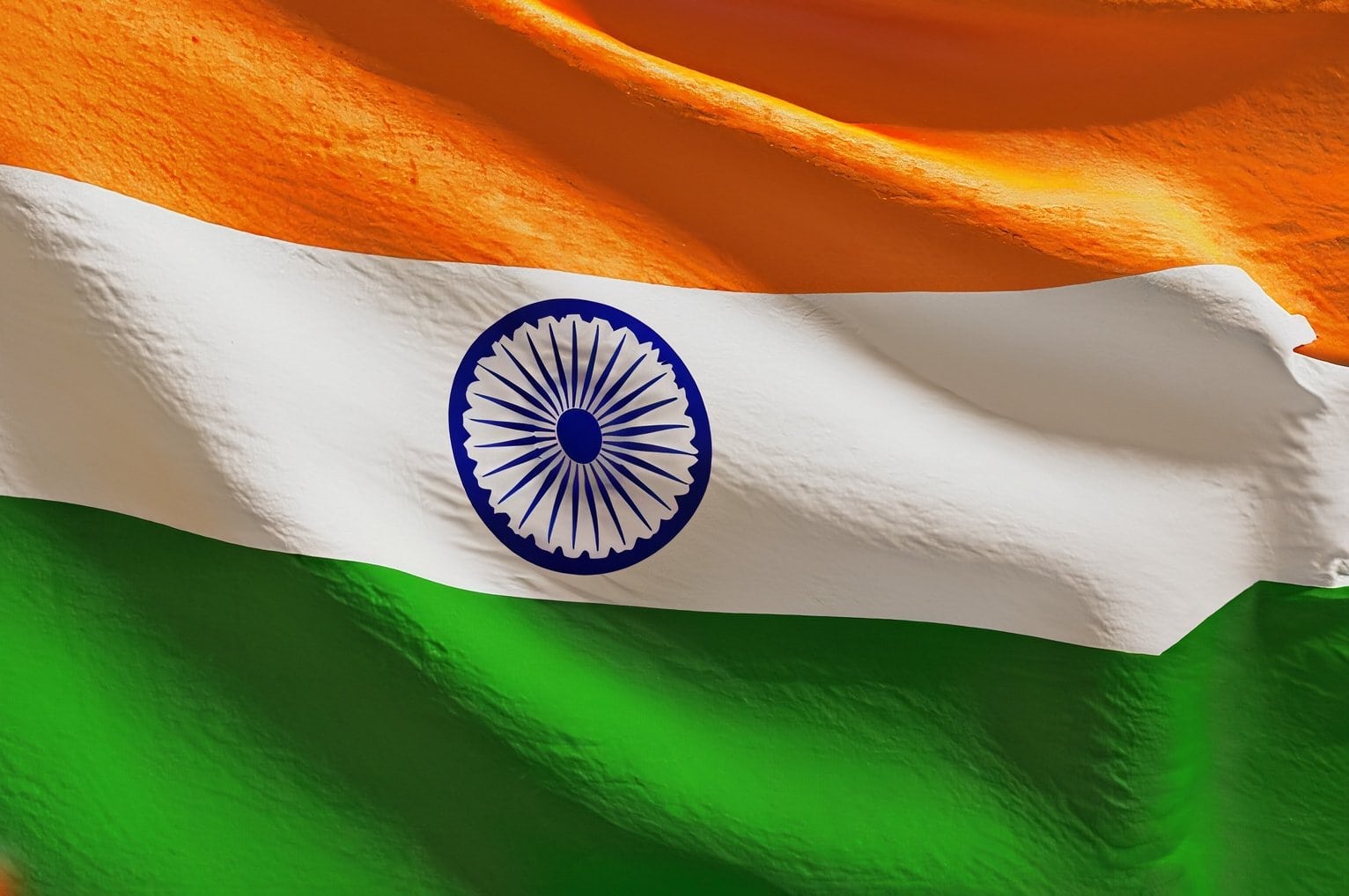
Image Gallery: Har Ghar Tiranga
The Government of India launched the Har Ghar Tiranga campaign (a Tricolour in every home) in early 2022. This campaign was conducted To Celebrate 75 years of India’s independence. On this occasion, I used AI image generation technology to create the below images in early August 2022. This post was updated in March 2024.
-
Customizing Twenty Twenty Theme
Resources:
https://ryandaniels.ca/blog/set-up-customize-wordpress-twenty-twenty/Twenty Twenty Theme: Modifications of Header, Titles, Links, Widget Section and More
-
My Introduction to Low End Web Hosting World
In 2019, frustration with web hosting providers introduced me to Low end Web Hosting World. In particular, an Internet search led me to the sites LowEndBox and then LowEndTalk, and finally Low End Spirit.Through this post, I thought of summarizing my first steps in the Low End world. Suffice to say, even today I define myself as a tinkerer who often breaks systems than setting them up correctly. This post was updated in March 2024.