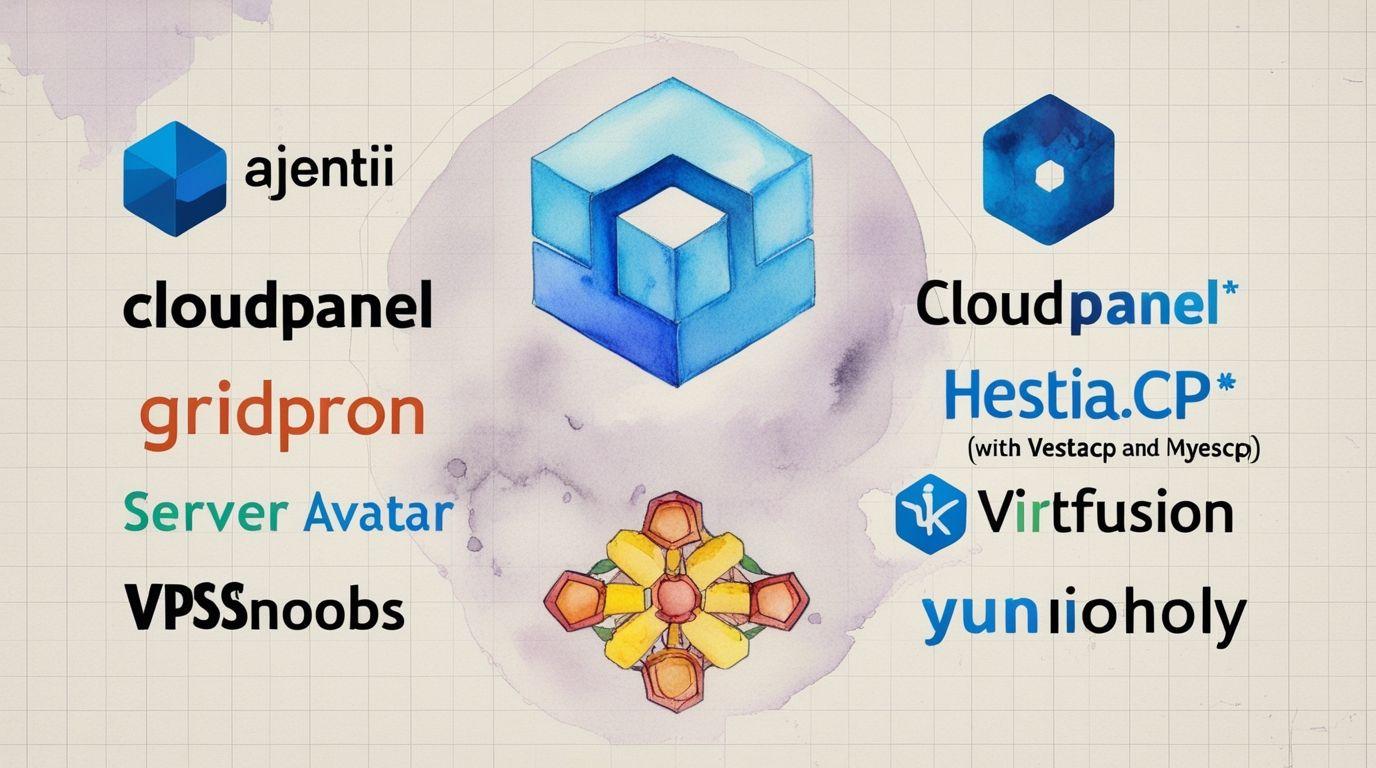
The Web Server Panel Series examines open-source and proprietary control panels for Linux server management, including Yunohost, HestiaCP, TinyCP, and VirtFusion. Suitable for beginners and professionals, these posts detail features, installation steps, and use cases for hosting websites and apps.
Summary
This post examines open-source, freemium, and proprietary control panels for Linux server management, including Yunohost, HestiaCP, TinyCP, VirtFusion, Webmin, cPanel, and others. Suitable for beginners, small businesses, and experienced administrators, this post details features, installation steps, use cases, and considerations for hosting websites and applications. It explores Ubuntu’s role in panel compatibility, compares panel types, and provides practical guidance to optimize your server for performance and security in 2025.
Hindi: यह व्यापक मार्गदर्शिका लिनक्स सर्वर प्रबंधन के लिए ओपन-सोर्स, फ्रीमियम, और प्रोप्राइटरी कंट्रोल पैनलों का विश्लेषण करती है, जिसमें यूनोहोस्ट, हेस्टीसीपी, टिनीसीपी, वर्चफ्यूजन, वेबमिन, और सीपैनल शामिल हैं। नौसिखियों, छोटे व्यवसायों, और अनुभवी प्रशासकों के लिए उपयुक्त, यह लेख सुविधाओं, स्थापना चरणों, और वेबसाइटों व ऐप्स होस्टिंग के उपयोग मामलों का विवरण देता है। यह उबंटू की पैनल संगतता में भूमिका को समझाता है, पैनल प्रकारों की तुलना करता है, और 2025 में सर्वर के प्रदर्शन और सुरक्षा को अनुकूलित करने के लिए व्यावहारिक मार्गदर्शन प्रदान करता है।
Marathi: ही सर्वसमावेशक मार्गदर्शिका लिनक्स सर्व्हर व्यवस्थापनासाठी ओपन-सोर्स, फ्रीमियम आणि प्रोप्रायटरी कंट्रोल पॅनल्सचे विश्लेषण करते, ज्यात यूनोहोस्ट, हेस्टीसीपी, टिनीसीपी, वर्चफ्यूजन, वेबमिन आणि सीपैनल यांचा समावेश आहे. नवशिक्या, छोटे व्यवसाय आणि अनुभवी प्रशासकांसाठी योग्य, हा लेख वैशिष्ट्ये, स्थापना चरणे आणि वेबसाइट्स व अॅप्स होस्टिंगच्या उपयोगकेस यांचे तपशील देतो. हे उबंटूची पैनल सुसंगततेतील भूमिका समजावून सांगते, पैनल प्रकारांची तुलना करते आणि 2025 मध्ये सर्व्हर कार्यक्षमता आणि सुरक्षितता ऑप्टिमाइझ करण्यासाठी व्यावहारिक माहिती देते.

Introduction
The Comprehensive Guide to Server Management Panels provides an in-depth exploration of managing Linux servers using open-source, freemium, and proprietary control panels. Covering tools such as Yunohost, HestiaCP, TinyCP, VirtFusion, Webmin, cPanel, and others, this guide details their features, installation processes, and applications for hosting websites, email, and apps. Designed for beginners, small businesses, and seasoned administrators, it offers practical insights to optimize server performance, enhance security, and streamline administration in 2025. Whether you’re setting up a personal blog or managing enterprise-grade hosting, this guide helps you select and implement the right panel for your needs.
Hindi: यह मार्गदर्शिका लिनक्स सर्वरों को ओपन-सोर्स, फ्रीमियम, और प्रोप्राइटरी कंट्रोल पैनलों के साथ प्रबंधित करने के लिए एक गहन अन्वेषण प्रदान करती है। यूनोहोस्ट, हेस्टीसीपी, टिनीसीपी, वर्चफ्यूजन, वेबमिन, और सीपैनल जैसे उपकरणों को कवर करते हुए, यह सुविधाओं, स्थापना प्रक्रियाओं, और वेबसाइटों, ईमेल, और ऐप्स होस्टिंग के लिए अनुप्रयोगों का विवरण देती है। नौसिखियों, छोटे व्यवसायों, और अनुभवी प्रशासकों के लिए डिज़ाइन की गई, यह 2025 में सर्वर प्रदर्शन को अनुकूलित करने, सुरक्षा बढ़ाने, और प्रशासन को सुव्यवस्थित करने के लिए व्यावहारिक जानकारी प्रदान करती है।
Marathi: ही मार्गदर्शिका लिनक्स सर्व्हर ओपन-सोर्स, फ्रीमियम आणि प्रोप्रायटरी कंट्रोल पॅनल्ससह व्यवस्थापित करण्यासाठी सखोल माहिती प्रदान करते. यूनोहोस्ट, हेस्टीसीपी, टिनीसीपी, वर्चफ्यूजन, वेबमिन आणि सीपैनल सारख्या साधनांचा समावेश करून, हे वैशिष्ट्ये, स्थापना प्रक्रिया आणि वेबसाइट्स, ईमेल आणि अॅप्स होस्टिंगसाठी उपयोग यांचे तपशील देते. नवशिक्या, छोटे व्यवसाय आणि अनुभवी प्रशासकांसाठी डिझाइन केलेली, हे 2025 मध्ये सर्व्हर कार्यक्षमता ऑप्टिमाइझ करण्यासाठी, सुरक्षितता वाढवण्यासाठी आणि प्रशासन सुव्यवस्थित करण्यासाठी व्यावहारिक माहिती देते.
What Are Server Management Panels?
Server management panels are web-based or command-line interfaces that simplify the administration of Linux VPS and dedicated servers. They enable users to configure domains, databases, email, security, and applications like WordPress, Nextcloud, or Joomla without requiring extensive technical expertise. These panels streamline complex tasks such as one-click app installations, backups, resource monitoring, and security management, making server administration accessible to beginners and efficient for experts.
Key Features
- Domain, Email, DNS, and Database Management: Configure and manage domains, email accounts, DNS settings, and databases (e.g., MySQL, MariaDB).
- Security Tools: Includes firewalls, SSL/TLS certificates, and tools like fail2ban for enhanced protection.
- One-Click App Installs: Simplified installation of applications like WordPress, Joomla, Drupal, or ONLYOFFICE.
- Resource Monitoring and Backup/Restore: Monitor CPU, memory, and storage usage, with options for automated backups and data restoration.
- OS Compatibility: Support for Linux distributions like Ubuntu, Debian, and CentOS, with some panels offering Windows support (e.g., Plesk).
Benefits
- Cost-Effective: Open-source panels like HestiaCP and Webmin are free, ideal for budget-conscious users.
- User-Friendly: Intuitive interfaces reduce the learning curve for non-technical users.
- Community-Driven: Open-source panels benefit from active community development and support.
- Advanced Security: Features like SSL, firewalls, and compliance tools ensure robust protection.
- Scalability: Panels support growing hosting needs, from personal blogs to enterprise applications.
Server panels reduce the reliance on command-line expertise, saving time and enhancing security. In 2025, advanced panels integrate AI-driven analytics and automation, aligning with cloud services and compliance requirements. The choice of panel depends on budget, technical proficiency, and specific hosting needs.
Types of Server Management Panels
Server management panels are categorized into open-source, freemium, proprietary, and SaaS-based solutions, each with distinct features, advantages, and limitations.

Open-Source Panels
Open-source panels are freely available, customizable, and maintained by community developers. Examples include HestiaCP, Yunohost, Webmin, Virtualmin, and aaPanel.
- Pros: Cost-free, highly customizable, community-driven updates, suitable for DIY enthusiasts and small businesses.
- Cons: Limited official support, potential documentation gaps, may require technical expertise for advanced configurations.
- Use Cases: Ideal for self-hosted solutions, small-scale hosting, or users comfortable with manual troubleshooting.
Freemium Panels
Freemium panels offer basic features for free, with premium features available via subscription. Examples include Cloudron, CloudPanel, and Virtualmin.
- Pros: Balances cost and functionality, user-friendly interfaces, suitable for small businesses needing basic features with optional upgrades.
- Cons: Limited customization compared to open-source, premium features require payment, support may be less comprehensive.
- Use Cases: Suitable for users seeking a middle ground between free and premium solutions.
Proprietary Panels
Proprietary panels are paid solutions offering advanced features and dedicated support. Examples include cPanel, Plesk, DirectAdmin, and VirtFusion.
- Pros: Robust feature sets, professional support, seamless integrations, optimized for enterprise use.
- Cons: Higher costs, less flexibility for customization, may be overkill for small projects.
- Use Cases: Best for businesses requiring comprehensive features, scalability, and reliable support.
SaaS-Based Panels
SaaS panels are cloud-based, subscription-driven solutions accessible from any device. Examples include RunCloud, ServerPilot, and GridPane.
- Pros: Easy access, no local installation required, scalable, beginner-friendly.
- Cons: Ongoing subscription costs, dependency on internet connectivity, limited control over server environment.
- Use Cases: Ideal for users prioritizing convenience and minimal setup.
How to Set Up a Server Management Panel
Setting up a server management panel involves selecting a suitable panel, ensuring system compatibility, and following installation steps. Below is a generalized process:
- Choose a Panel: Select a panel based on your needs (e.g., Yunohost for app hosting, HestiaCP for Nginx optimization, VirtFusion for enterprise features).
- Verify System Requirements: Ensure your VPS meets minimum specs (e.g., 1GB RAM, 10GB SSD storage, Ubuntu 20.04/22.04 or Debian).
- Run the Installation Script: Execute the panel’s installation command (e.g.,
curlfor Yunohost,hst-install.shfor HestiaCP). - Configure Settings: Set up domains, users, SSL certificates, and security features via the panel’s interface.
- Install Applications: Use one-click installers to deploy apps like WordPress or Nextcloud.
- Monitor and Update: Regularly monitor resources and apply updates to maintain security and compatibility.

System Requirements
Common requirements include: – Web Server: Apache, Nginx, or equivalent. – Programming Language: PHP, Python (for some panels). – Database: MySQL or MariaDB. – OS: Ubuntu, Debian, or CentOS (some panels support Windows).
For testing purposes, a VPS with 2 cores, 4GB RAM, and 50GB SSD storage is typically sufficient.
Comparing Popular Server Management Panels
Below is a detailed comparison of selected open-source, freemium, and proprietary panels, highlighting their features, pros, and cons.
| Control Panel | Type | Key Features | Pros | Cons |
|---|---|---|---|---|
| HestiaCP | Open-Source | Web stack config, Nginx optimization, domain/user management, one-click installs | Intuitive UI, lightweight, community-driven, free | Limited documentation, smaller community |
| Yunohost | Open-Source | App hosting (Nextcloud, WordPress), Let’s Encrypt SSL, Debian-based | User-friendly, one-click app installs, free | Debian-only compatibility, limited advanced features |
| Webmin | Open-Source | User management, package installation, network config, file management | Flexible, free, extensive feature set | Complex for beginners, less polished UI |
| Cloudron | Freemium | 60+ app store, auto-updates, backups, email server, isolated containers | Easy to use, secure, auto-updates | Steep learning curve for non-technical users, premium features cost extra |
| CloudPanel | Freemium | Dashboard, domain/database management, cloud integration, CLI | Free, fast setup, clean UI, cloud support | Limited features compared to paid panels |
| cPanel | Proprietary | Comprehensive domain/email/DNS management, one-click installs, robust support | User-friendly, extensive features, professional support | High cost, less customizable |
| DirectAdmin | Proprietary | Lightweight, auto-recovery, domain management, affordable | Cost-effective, stable, easy interface | Fewer plugins than cPanel, smaller community |
| VirtFusion | Proprietary | Monitoring, DNS management, hypervisor support, clean interface | Fast, enterprise-grade, user-friendly | Paid, limited customization |
Table: Comparison of Server Management Panels (Source: Compiled by A. Vyas, updated October 2024)
Why Ubuntu for Server Panels?
Many panels, such as HestiaCP and Yunohost, recommend Ubuntu due to its stability, extensive community support, and compatibility with a wide range of software. Ubuntu’s long-term support (LTS) releases ensure reliability, while its vast package repository simplifies dependency management. However, alternatives like Debian are also viable, though they may lack Ubuntu’s polish or community resources. Considerations include potential risks (e.g., Canonical’s commercial influence) and specific panel compatibility.
Advanced Features and Trends in 2025
Modern server panels are evolving to meet technological and business demands: – AI and Automation: Panels like cPanel and GridPane integrate AI for predictive analytics, performance optimization, and issue detection. – Cloud Integration: SaaS panels (e.g., RunCloud) offer seamless integration with AWS, Google Cloud, and DigitalOcean. – Enhanced Security: Features like automated SSL, intrusion detection, and compliance tools (e.g., GDPR, HIPAA) are standard. – Multi-Server Management: Advanced panels support managing multiple VPS instances, ideal for hosting providers.
Choosing the Right Server Panel
Selecting a server panel requires evaluating several factors: – Technical Requirements: Assess RAM, CPU, storage, and OS compatibility. – User-Friendliness: Opt for panels with intuitive interfaces (e.g., HestiaCP, CloudPanel) for non-technical users. – Security and Support: Prioritize panels with robust security (e.g., SSL, firewalls) and reliable support (e.g., cPanel, DirectAdmin). – Budget: Open-source panels are cost-free, while proprietary panels offer premium features at a cost. – Scalability: Ensure the panel supports future growth (e.g., VirtFusion for enterprise needs).
Researching user reviews on platforms like Reddit or Quora and testing free trials (e.g., Cloudron, Server Avatar) can inform your decision.
Installation Guides for Key Panels
HestiaCP
- Ensure a clean Ubuntu 20.04/22.04 VPS with 1GB RAM and 10GB storage.
- Download and run the installer:
wget https://raw.githubusercontent.com/hestiacp/hestiacp/main/install/hst-install.sh && bash hst-install.sh. - Configure domains, SSL, and users via the web interface (port 8083).
- Install apps like WordPress using one-click installers.
Yunohost
- Use a Debian-based VPS with 2GB RAM.
- Run:
curl https://install.yunohost.org | bash. - Access the admin panel to set up apps (e.g., Nextcloud) and configure Let’s Encrypt SSL.
cPanel
- Requires CentOS, AlmaLinux, or CloudLinux with 2GB RAM.
- Purchase a license and run:
cd /home && curl -o latest -L https://securedownloads.cpanel.net/latest && sh latest. - Configure via WHM (Web Host Manager) for advanced settings.

Frequently Asked Questions
Why Focus on Linux VPS for Server Panels?
Linux VPS is favored for its stability, security, and cost-effectiveness due to no licensing fees. Its flexibility across distributions (e.g., Ubuntu, Debian) makes it ideal for most panels, though some (e.g., Plesk) support Windows.
What Are Typical VPS Specifications for Server Panels?
A VPS with 2 cores, 4GB RAM, and 50GB SSD storage is sufficient for most panels. High-traffic sites or enterprise panels (e.g., VirtFusion) may require 8GB RAM and 100GB storage.
Can Open-Source Panels Be Used for Production Sites?
Yes, panels like HestiaCP and Webmin are production-ready with proper configuration. However, they require technical expertise for maintenance and security.
How Do Command-Line Tools Compare to Server Panels?
Command-line tools (e.g., Webinoly, SlickStack) offer greater control and flexibility but require advanced knowledge. Panels like cPanel are more beginner-friendly with graphical interfaces.

Conclusion
Server management panels are essential tools for simplifying Linux VPS administration, offering user-friendly interfaces, robust features, and scalability. Open-source options like HestiaCP and Yunohost provide cost-effective solutions for DIY enthusiasts, while proprietary panels like cPanel and VirtFusion cater to enterprises needing comprehensive support. Freemium and SaaS panels bridge the gap, offering flexibility for small businesses. By evaluating your technical requirements, budget, and hosting goals, you can select a panel that optimizes performance and security in 2025.
Explore this guide’s resources, test free trials, and leverage community feedback to make an informed decision. For further details, refer to the links below or check specific panel documentation.
Links and References
- HestiaCP Documentation
- Yunohost Open-Source Server Panel
- Webmin Documentation
- cPanel Official Site
- VirtFusion Introduction
- CloudPanel Blog on VPS Management
This post – Index page on Server Management Panel Series was updated and archived in April 2025.